
Folder-first browsing
Open the folder. See the pictures. Fast sidebar, single or grid view, and nothing between you and the files.
Mac, Windows, and Linux. Free to use. $19 once for compare, tags, and duplicates.
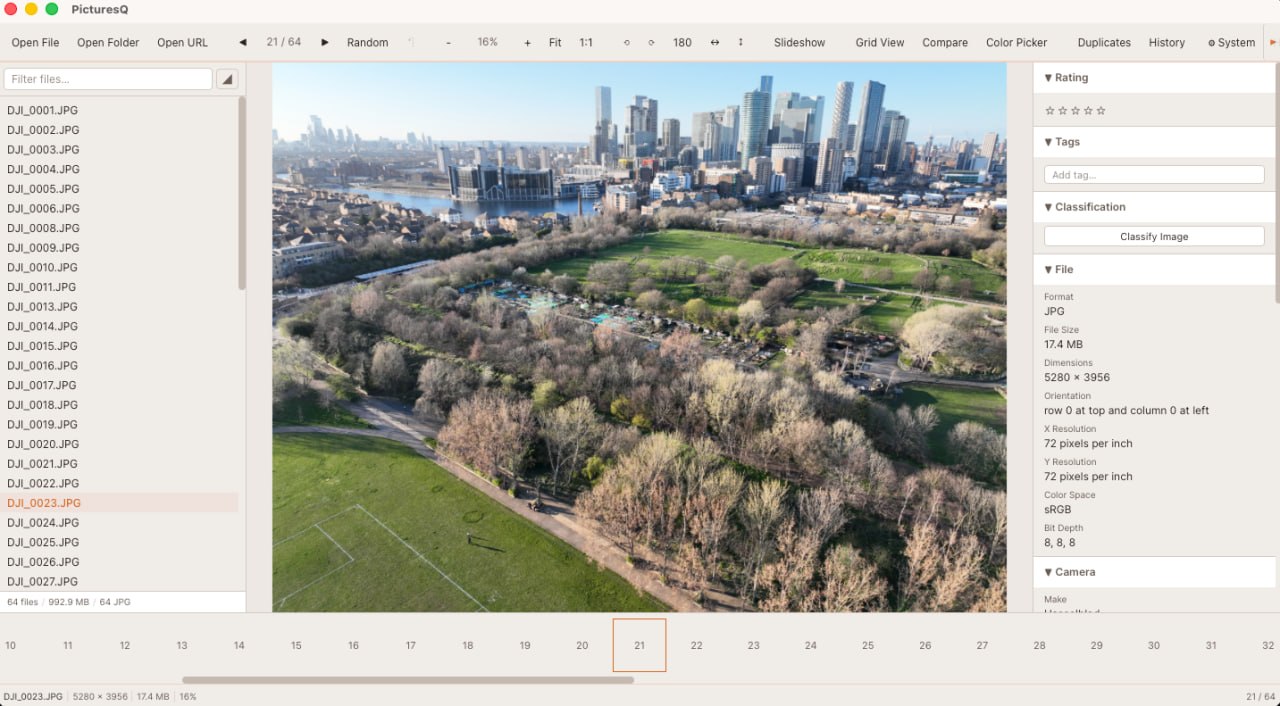
Preview is fine until the folder is huge. Photos hides your files in a library. PicturesQ opens the folder, shows the picture, and puts EXIF right there on the side. Compare two near-identical shots, find the dupes, keep moving.
PicturesQ opens the folder you already have. The picture stays on screen, EXIF sits on the side, and compare or duplicates are there when you need them — no library import in the way.
Open the folder. See the pictures. Fast sidebar, single or grid view, and nothing between you and the files.
EXIF and file info sit beside the picture. Camera, lens, date — inspect it without leaving the shot.
Two near-identical shots, one slider. Pick the stronger frame and keep moving.
JPEG, PNG, WebP, animated GIF, camera RAW, SVG — plus PDFs and comic archives treated as browsable image sets.


Free to download and use. The Mac builds are signed and notarised by Quinlan Software LLC.
If you use Claude, Cursor, or another MCP client, PicturesQ can expose your image library to it. That is included in the free app.
Requires macOS 11 or later.
Universal (Apple Silicon & Intel)Windows 10 or later, 64-bit.
Installer (.exe) MSI packagex86_64. Pick your format.
AppImageOne license key unlocks Premium on your devices. Buy once — the key arrives by email moments after checkout.
Secure checkout. Your license key is emailed instantly and activates in the app via Upgrade → Enter key.