
Free
MCP for AI workflows
Expose your image library to Claude, Cursor, and other MCP-compatible AI tools - locally, securely.
The MCP server runs locally on your machine. Fast browsing, full EXIF, free core, $19 once for premium tools.
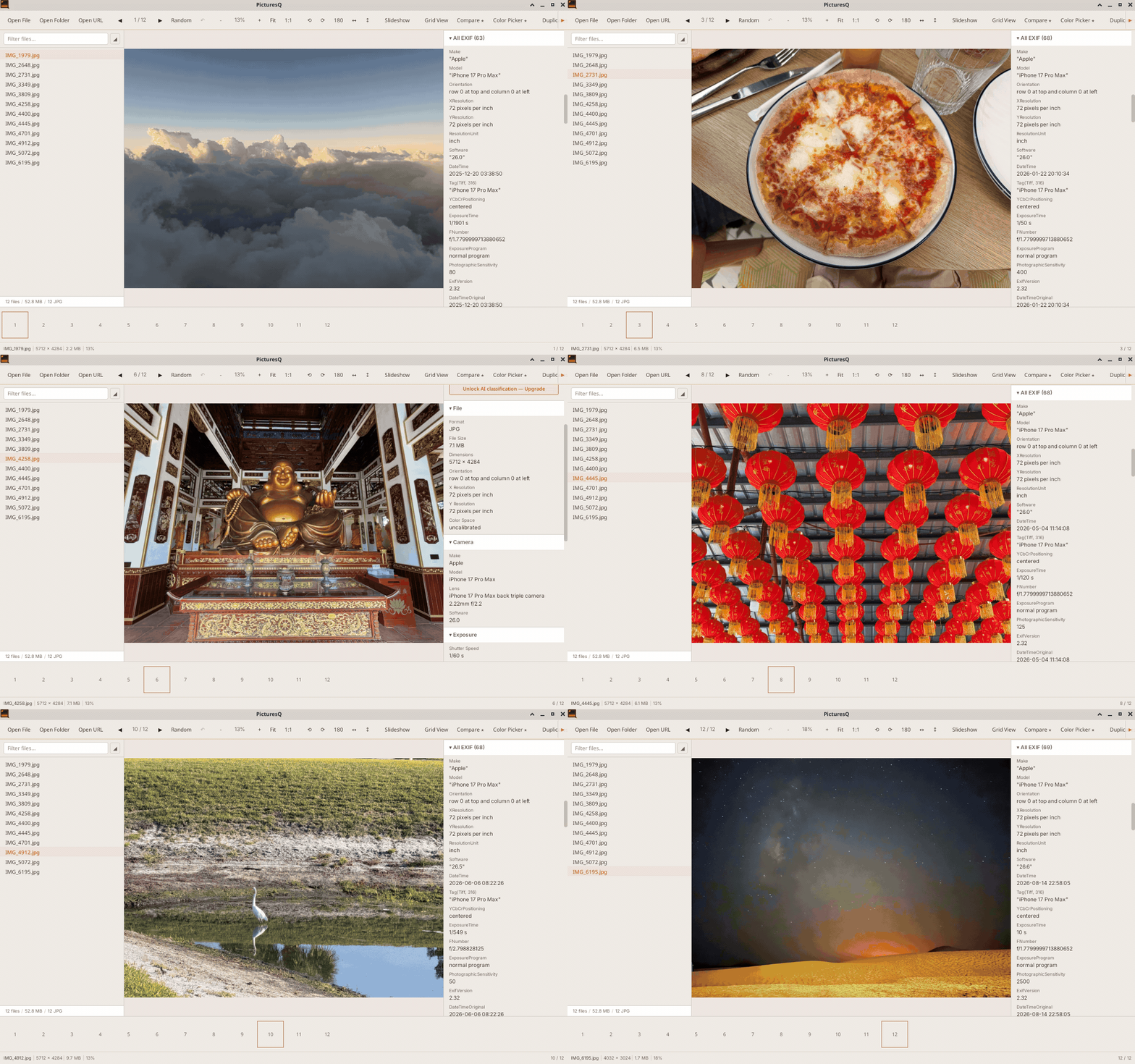
Let Claude or Cursor search and organise your photos. The MCP server runs locally while PicturesQ is open, so your AI tool can find images, read EXIF, and open folders without you copying files around. Premium adds tags, ratings, duplicates, and on-device classification.
Point Claude or Cursor at PicturesQ and ask for the photos you need. The viewer is still fast on its own: open any folder, flip through RAW and JPEG, and keep EXIF beside the picture.
Expose your image library to Claude, Cursor, and other MCP-compatible AI tools - locally, securely.
Open any folder and see the pictures. Fast sidebar, single or grid view, and nothing between you and the files.
EXIF and file info sit beside the picture. Camera, lens, ISO, dimensions - inspect it without leaving the shot.
Two near-identical shots, one slider. Pick the stronger frame and keep moving.
Exact matches and visually similar images. Clean up your library without the guesswork.
JPEG, PNG, WebP, animated GIF, camera RAW, SVG - plus PDFs and comic archives treated as browsable image sets.

Browse your folders at full speed - no import, no wait.

Thumbnail grid for quick scanning and selection.
Free to download and use. Mac, Windows, and Linux builds are available below.
If you use Claude, Cursor, or another MCP client, PicturesQ can expose your image library to AI tools. The MCP server is included free in every download.
macOS 11+ • Apple Silicon & Intel
DownloadWindows 10+ • 64-bit
Installer (.exe) MSI packagex86_64 • Pick your format
AppImageOne license key unlocks Premium on all your devices - Mac, Windows, and Linux. Buy once, own forever. Your key arrives by email within moments of checkout.
Secure checkout via Stripe. License key is emailed instantly. Activate in-app via Upgrade → Enter License Key.
MCP (Model Context Protocol) lets AI tools like Claude or Cursor read your image library. It runs locally on your machine - nothing leaves your computer unless you explicitly share it with the AI.
No. The free version is fully functional and never expires. Premium unlocks additional workflow tools (compare, tags, duplicates) but the core viewer is free forever.
No. Premium is $19 once. One license key works on all your devices - Mac, Windows, and Linux. No recurring charges.
Yes. One license covers all devices you personally own and use. Business or team use requires separate licenses.
Yes. Internet is required only for initial license activation and optional update checks. All image viewing and metadata inspection work offline.
No - PicturesQ is desktop-only for Mac, Windows, and Linux.